
December Festivities: Difference between revisions
From Grouse House Wiki
No edit summary |
|||
| (11 intermediate revisions by 2 users not shown) | |||
| Line 1: | Line 1: | ||
Throughout the month of December, multiple festivities occur on Wolvden! Starting at '''00:00 on December 1st''' and lasting until '''23:59 on December 31st''', enjoy gifting and advents for all! | |||
{| class="mw-collapsible mobiletoc" | |||
! Table of Contents | |||
=== | |- | ||
| class="disclaimer | ''Links not working? Sections must be expanded to jump to a subheader within them!'' | |||
|- | |||
| class="mtocl1" | [[December Festivities#Gifting|Gifting]] | |||
|- | |||
| class="mtocl2" | [[December Festivities#Leaving Gifts|Leaving Gifts]] | |||
|- | |||
| class="mtocl2" | [[December Festivities#Opening Gifts|Opening Gifts]] | |||
|- | |||
| class="mtocl2" | [[December Festivities#Achievements|Achievements]] | |||
|- | |||
| class="mtocl2" | [[December Festivities#Opting Out|Opting Out]] | |||
|- | |||
| class="mtocl1" | [[December Festivities#Advent Calendar|Advent Calendar]] | |||
|- | |||
|} | |||
</div> | |||
<h3 class="c-header | <h2 class="c-header active">Gifting</h3> | ||
<div class="c-content" style="display: | <div class="c-content" style="display: block;"> | ||
== Gifting == | |||
Every year, for the whole month of December, you can leave gift bundles on other players' Den pages! | |||
<h3 class="c-header active">Leaving Gifts</h3> | |||
<div class="c-content" style="display: block;"> | |||
=== Leaving Gifts === | === Leaving Gifts === | ||
| Line 19: | Line 39: | ||
In this menu, you can select up to 5 components to leave for that player! The components could be any of your items, or a bundle of currency. Silver Cone and Gold Cone bundles count as separate components in the total 5. | In this menu, you can select up to 5 components to leave for that player! The components could be any of your items, or a bundle of currency. Silver Cone and Gold Cone bundles count as separate components in the total 5. You can include any item or currency as long as it isn't account bound! | ||
| Line 25: | Line 45: | ||
After you have selected your gift items, you can choose some gift wrapping. This is purely cosmetic, and just for fun!< | After you have selected your gift items, you can choose some gift wrapping. This is purely cosmetic, and just for fun! | ||
[[File:giftwrap1.png]][[File:giftwrap2.png]][[File:giftwrap3.png]][[File:giftwrap4.png]][[File:giftwrap5.png]] | |||
<center>[[File:giftwrap1.png]][[File:giftwrap2.png]][[File:giftwrap3.png]][[File:giftwrap4.png]][[File:giftwrap5.png]]</center> | |||
| Line 32: | Line 54: | ||
</div> | |||
<h3 class="c-header active">Opening Gifts</h3> | |||
<div class="c-content" style="display: block;"> | |||
=== Opening Gifts === | |||
Throughout the month, you can see how many gifts have been left for you on your Den page. '''Other players cannot see this number'''. | |||
[[File:Giftsleft.jpg]] | |||
You can start opening any gifts left for you on '''December 25th''', and you have until the end of the day on '''December 31st''' to open all of them! If you're not able to open your gifts in time, don't worry! They will stick around until next year. | |||
</div> | </div> | ||
<h3 class="c-header | |||
<div class="c-content" style="display: | <h3 class="c-header active">Achievements</h3> | ||
<div class="c-content" style="display: block;"> | |||
=== Achievements === | === Achievements === | ||
December gifting comes with a few unlockable achievements! Earning these achievements does not reward anything, but they can be a fun goal to aim for. You can view your achievements on the [https://www.wolvden.com/achievements Achievements page], with these ones being under the Events tab. | |||
| Line 72: | Line 95: | ||
</div> | </div> | ||
<h3 class="c-header | |||
<div class="c-content" style="display: | <h3 class="c-header active">Opting Out</h3> | ||
<div class="c-content" style="display: block;"> | |||
=== Opting Out === | === Opting Out === | ||
There is not yet an official way to opt out of the December gifting event. | There is not yet an official way to opt out of the December gifting event. | ||
| Line 81: | Line 106: | ||
You can find the CSS to use in [https://www.wolvden.com/chatter/topic/236875 this forum post], which also provides methods for removing the gifting menus from other player's pages too | You can find the CSS to use in [https://www.wolvden.com/chatter/topic/236875 this forum post], which also provides methods for removing the gifting menus from other player's pages too. Note however that the post is old and the steps for completing the task are outdated! Alternatively, you can simply copy and paste the below link into the CSS Files section of your Den page. | ||
| Line 88: | Line 113: | ||
</div> | </div> | ||
<h2 class="c-header | </div> | ||
<div class="c-content" style="display: | |||
<h2 class="c-header active">Advent Calendar</h3> | |||
<div class="c-content" style="display: block;"> | |||
=== Advent Calendar === | === Advent Calendar === | ||
An Advent Calendar can be found on the Event page starting on '''December 18th''' of each year! In the advent, you will be able to grab a free item once a day from the 18th to the 31st of December. If you do not login each day, you can still claim these items until the end of the month, but the items will not be available until their assigned day (e.g. you cannot grab an item for the 23rd on the 22nd, but you can grab the item from the 22nd on the 25th). | |||
<b>Click on the item images to preview the item on a wolf!</b> | |||
<table style="width: 100%;" class="tableC"> | |||
<tr> | |||
<td style="width:20%">{{DecorOneOnlyThumb|Flirting Cardinals|f/ff|Flirtingcardinals}}<br><b>Flirting Cardinals</b><br>December 18th</b></td> | |||
<td style="width:20%">{{DecorAllOnlyThumb|Piebald Donkey|p/pp|Piebalddonkey}}<br><b>Piebald Donkey</b><br>December 19th</b></td> | |||
<td style="width:20%">{{DecorAllOnlyThumb|Fur-Lined Cloak [Blue]|f/ff|Furlinedcloakblue}}<br><b>Fur-Lined Cloak [Blue]</b><br>December 20th</b></td> | |||
<td style="width:20%">{{DecorAllOnlyThumb|Piebald Raven|p/pp|Piebaldraven}}<br><b>Piebald Raven</b><br>December 21st</b></td> | |||
</tr> | |||
<tr> | |||
<td style="width:20%">{{DecorAllOnlyThumb|Piebald Fawn|p/pp|Piebaldfawn}}<br><b>Piebald Fawn</b><br>December 22nd</b></td> | |||
<td style="width:20%">{{DecorAllOnlyThumb|Piebald Alligator Snapping Turtle|p/pp|Piebaldalligatorsnappingturtle}}<br><b>Piebald Alligator Snapping Turtle</b><br>December 23rd</b></td> | |||
<td style="width:20%">{{DecorAllOnlyThumb|Lamb|l/ll|Lamb}}<br><b>Lamb</b><br>December 24th</b></td> | |||
<td style="width:20%">{{DecorAllOnlyThumb|Polar Bear Cub|p/pp|Polarbearcub}}<br><b>Polar Bear Cub</b><br>December 25th</b></td> | |||
</tr> | |||
<tr> | |||
<td style="width:20%">{{DecorAllOnlyThumb|Fur-Lined Cloak [Red]|f/ff|Furlinedcloakred}}<br><b>Fur-Lined Cloak [Red]</b><br>December 26th</b></td> | |||
<td style="width:20%">{{DecorAllOnlyThumb|Piebald Cougar|p/pp|Piebaldcougar}}<br><b>Piebald Cougar</b><br>December 27th</b></td> | |||
<td style="width:20%">{{DecorOneOnlyThumb|Piebald Raccoon|p/pp|Piebaldraccoon}}<br><b>Piebald Raccoon</b><br>December 28th</b></td> | |||
<td style="width:20%">{{DecorAllOnlyThumb|Poinsettia Accessory|p/pp|Poinsettiaaccessory}}<br><b>Poinsettia Accessory</b><br>December 29th</b></td> | |||
</tr> | |||
<tr> | |||
<td style="width:20%">{{BackgroundOnlyThumb|Lunar Firefly Display|l/ll|Lunarfireflydisplay}}<br><b>Lunar Firefly Display</b><br>December 30th</b></td> | |||
<td style="width:20%">{{BackgroundOnlyThumb|Happy New Year|h/hh|Happynewyear}}<br><b>Happy New Year</b><br>December 31st</b></td> | |||
</tr> | |||
</table> | |||
<h3 class="c-header active">Retired Items</h3> | |||
<div class="c-content" style="display: block;"> | |||
=== Retired Items === | |||
The following items appeared in the advent calendar during December 2023 and are currently unobtainable. They may return in a future advent calendar. | |||
<table style="width: 100%;" class="tableC"> | |||
<tr> | |||
<td style="width:20%">{{DecorAllOnlyThumb|Fallen Snow|f/ff|Fallensnow}}<br><b>Fallen Snow</b><br>December 22nd</b></td> | |||
<td style="width:20%">{{DecorBelowOneOnlyThumb|Snowy Fir Tree|s/ss|Snowyfirtree}}<br><b>Snowy Fir Tree</b><br>December 23rd</b></td> | |||
<td style="width:20%">{{DecorBelowAllOnlyThumb|Red-Nosed Reindeer|r/rr|Rednosedreindeer}}<br><b>Red-Nosed Reindeer</b><br>December 24th</b></td> | |||
<td style="width:20%">{{BackgroundOnlyThumb|Merry Winter Town|m/mm|Merrywintertown}}<br><b>Merry Winter Town</b><br>December 25th</b></td> | |||
</tr> | |||
</table> | |||
</div> | |||
</div> | |||
{{DecorModalV1}} | |||
{{BackgroundModal}} | |||
[[Category:Events]] | |||
Latest revision as of 04:01, 19 January 2025
Throughout the month of December, multiple festivities occur on Wolvden! Starting at 00:00 on December 1st and lasting until 23:59 on December 31st, enjoy gifting and advents for all!
| Table of Contents |
|---|
| Links not working? Sections must be expanded to jump to a subheader within them! |
| Gifting |
| Leaving Gifts |
| Opening Gifts |
| Achievements |
| Opting Out |
| Advent Calendar |
Gifting
Gifting
Every year, for the whole month of December, you can leave gift bundles on other players' Den pages!
Leaving Gifts
Leaving Gifts

Visiting the Den page of a player who has rolled over that December will reveal the above interface. Note that the player must have rolled over at least once since December 1st. If they've logged in (and thus been "active"), but not rolled over, the option will still not appear.
In this menu, you can select up to 5 components to leave for that player! The components could be any of your items, or a bundle of currency. Silver Cone and Gold Cone bundles count as separate components in the total 5. You can include any item or currency as long as it isn't account bound!
Food left in gifts will not rot, meaning the carcasses you leave for other players will still be fresh when they open the gift!
After you have selected your gift items, you can choose some gift wrapping. This is purely cosmetic, and just for fun!


Finally, you can choose to leave your gift anonymously, meaning that the player opening it will not be able to see who left it.
Opening Gifts
Opening Gifts
Throughout the month, you can see how many gifts have been left for you on your Den page. Other players cannot see this number.

You can start opening any gifts left for you on December 25th, and you have until the end of the day on December 31st to open all of them! If you're not able to open your gifts in time, don't worry! They will stick around until next year.
Achievements
Achievements
December gifting comes with a few unlockable achievements! Earning these achievements does not reward anything, but they can be a fun goal to aim for. You can view your achievements on the Achievements page, with these ones being under the Events tab.
| It's Not a Popularity Contest! | |
 | Receive 100 gifts from others during the December gifting event. |
| In order to achieve this, you must be gifted 100 gifts from other players. | |
| A Generous Benefactor | |
| Leave 100 gifts for others during the December event. |
| In order to achieve this, you must leave 100 bundles in separate player's dens. | |
| Last Minute Shopping | |
| Leave a gift for another member on the 24th December. |
| In order to achieve this, you must leave a bundle in another player's den on Christmas Eve. | |
| Happy Holidays! | |
| Open a gift on the 25th December. |
| In order to achieve this, you must open a gift from another player on Christmas Day. | |
Opting Out
Opting Out
There is not yet an official way to opt out of the December gifting event.
Many players write on their Den or Profile page that they are not participating, requesting others to not gift them. You can also apply CSS to your den page to remove the gifting menu, but this method will not work on visitors who have CSS disabled.
You can find the CSS to use in this forum post, which also provides methods for removing the gifting menus from other player's pages too. Note however that the post is old and the steps for completing the task are outdated! Alternatively, you can simply copy and paste the below link into the CSS Files section of your Den page.
https://ranuncudahlia.neocities.org/wolvdencss/nogifting.css
Advent Calendar
Advent Calendar
An Advent Calendar can be found on the Event page starting on December 18th of each year! In the advent, you will be able to grab a free item once a day from the 18th to the 31st of December. If you do not login each day, you can still claim these items until the end of the month, but the items will not be available until their assigned day (e.g. you cannot grab an item for the 23rd on the 22nd, but you can grab the item from the 22nd on the 25th).
Click on the item images to preview the item on a wolf!
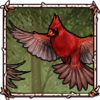 Flirting Cardinals December 18th |
 Piebald Donkey December 19th |
 Fur-Lined Cloak [Blue] December 20th |
 Piebald Raven December 21st |
 Piebald Fawn December 22nd |
 Piebald Alligator Snapping Turtle December 23rd |
 Lamb December 24th |
 Polar Bear Cub December 25th |
 Fur-Lined Cloak [Red] December 26th |
 Piebald Cougar December 27th |
 Piebald Raccoon December 28th |
 Poinsettia Accessory December 29th |
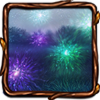 Lunar Firefly Display December 30th |
 Happy New Year December 31st |
Retired Items
Retired Items
The following items appeared in the advent calendar during December 2023 and are currently unobtainable. They may return in a future advent calendar.
 Fallen Snow December 22nd |
 Snowy Fir Tree December 23rd |
 Red-Nosed Reindeer December 24th |
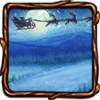 Merry Winter Town December 25th |
Decor Name
Background Name